How to share your location between iPhone and Android
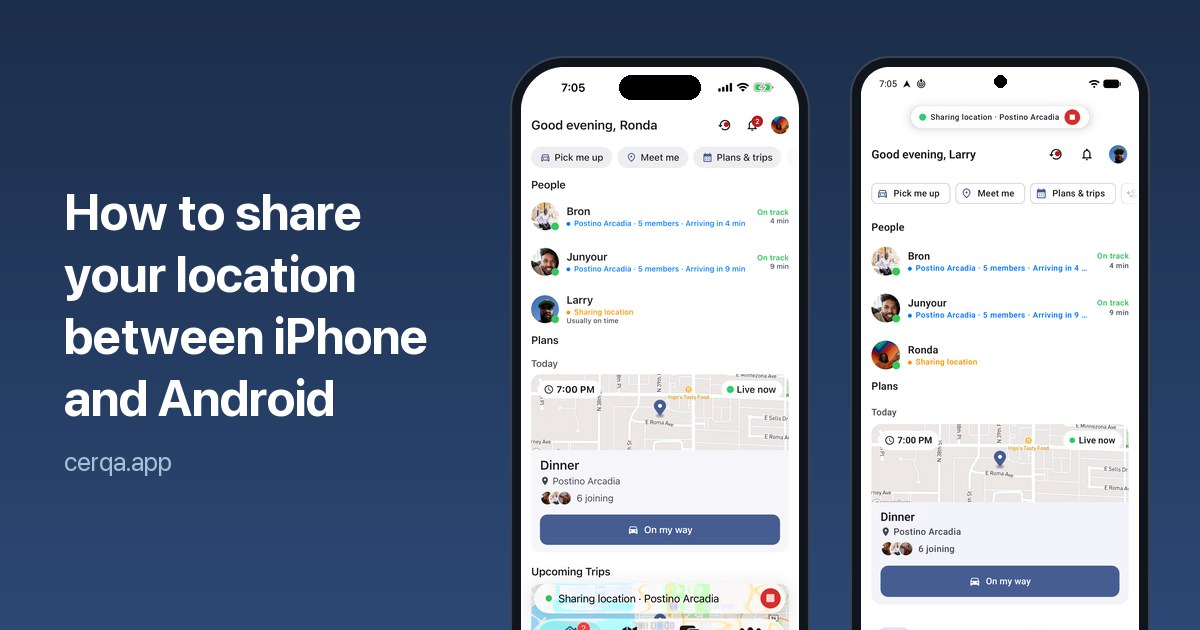
Most families and groups of friends use a mix of smartphones, with some members using iPhones and others using Android phones. That matters when you want to see where someone is, because the location sharing built into each phone sometimes works only with the same type of device.
Here's how to share locations seamlessly between iPhone and Android, and get everyone set up in just a couple of minutes.
Why your phone's built-in location sharing isn't enough
Location sharing built into your phone is typically designed to work best within the same ecosystem. iPhone users can easily share with other iPhone users, and Android users with other Android users. But when your family or friends use a mix of both, staying connected may not always be simple.
To share between an iPhone and an Android phone, you need an app that runs on both. Cerqa is free for iPhone and for Android, and it's made for getting people to the same place: share with one friend or a whole group, see when everyone will arrive, and navigate together.
How to share your location with Cerqa
Getting started takes just a couple of minutes:
- Install Cerqa. Both people download Cerqa from the Apple App Store or Google Play and sign in.
- Connect with each other. Send an invitation link or scan each other's QR code if you're together.
- Start sharing. Open the map, tap Share location, select a friend or group, and choose how long you want to share.
- Send your request. Once the other person accepts, you'll both see each other's live location on the map, along with distance and estimated arrival time.
You're in control. Location sharing automatically ends when the selected time expires. You can also stop sharing at any time. Once sharing ends, Cerqa stops sharing your live location.
Share your location with a group
Whether you're heading out on a road trip, meeting up for a game, or enjoying a night out, Cerqa makes it easy to stay connected. Create a group and share your location with everyone at once. Everyone appears together on one map, whether they're using an iPhone or Android. You also get a group chat to keep everyone in the loop.
With the Free plan, groups can include up to 5 people, with location sharing for up to 1 hour. Upgrade to Pro to include up to 25 people and share for up to 24 hours.
Tips for better location sharing
- Set a time limit. You usually only need to share your location until someone arrives. Choose a duration that makes sense for your plans rather than sharing indefinitely.
- Enable precise location. Make sure precise location access is enabled for Cerqa on both iPhone and Android so your location appears as accurately as possible.
- Allow background location access. If you want friends and family to see your location while Cerqa is not open, allow location access in the background. This lets Cerqa continue updating your location while your phone is in your pocket or you're using another app.
Questions
Can an iPhone see an Android phone's location?
Yes, when both of you use an app made for iPhone and Android, like Cerqa. The location sharing built into each phone sometimes works only with the same type of device.
Is Cerqa free?
Yes. Sharing with a friend or a group of up to 5 is free for up to an hour at a time. Pro adds longer sharing, bigger groups and group navigation.
Does the other person need the app?
Yes. Both people install Cerqa so you can see each other live on the map.
Can I stop sharing whenever I want?
Yes. Stop sharing any time, and location sharing also ends by itself when the time you picked is up.